
(This post is sponsored by Manus. Try Manus here)
You've probably seen the endless parade of AI website builders promising to revolutionize how we build apps and websites.
But what about one platform that could potentially replace not just your website builder, but your entire vibe coding development stack? I spent hours testing Manus AI platform to see if it lives up to the hype.
Spoiler alert: this isn't your typical AI tool review. We're going deep.
What Makes Manus Different from Other AI Website Builder Alternatives
Most AI builders focus on one thing. Website creation. App development. Automation. Manus throws that playbook out the window.
It's a super app approach. One platform handling everything from simple landing pages to complex full-stack applications with integrated databases. Think of it as the Swiss Army knife of AI development tools.
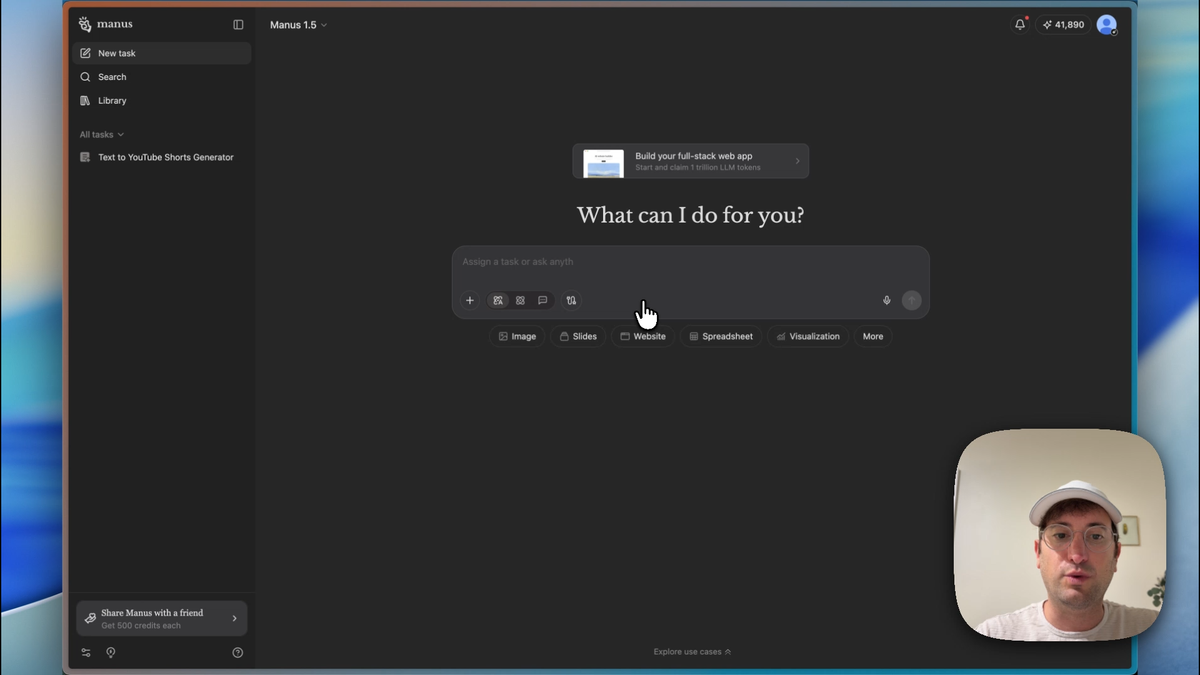
The interface feels familiar if you've used Lovable or Bolt. Chat on the left. Code in the middle. Preview on the right. But here's where it gets interesting - Manus can run multiple agents simultaneously while you work on other tasks.
Want to build a website while researching leads and creating a presentation? No problem. The platform handles multiple workflows without breaking a sweat.
Testing AI Website Builder Alternatives: Manus vs the Competition
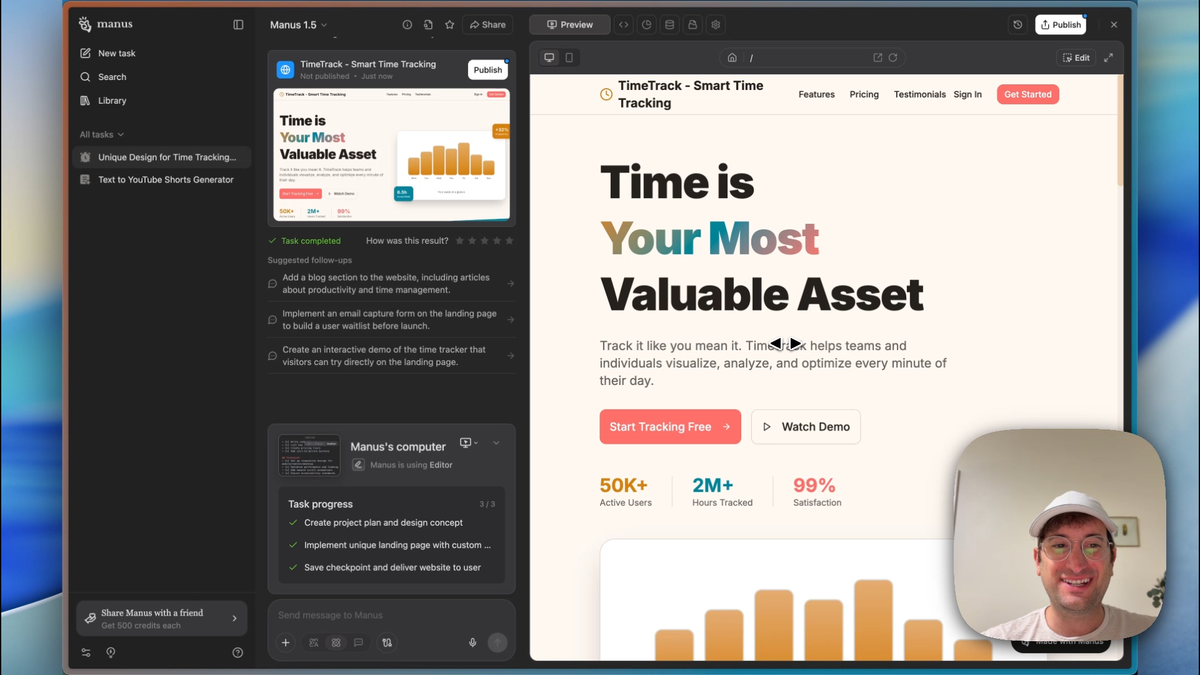
I started with a simple challenge: "Create a landing page for a time tracking SaaS app. Please make the design unique and not like every other AI landing page."
Most AI builders would spit out another generic template. Manus actually listened to the "unique" requirement.
The result? A clean, animated landing page with thoughtful copy like "Time is your most valuable asset" and smooth hover effects. The design felt intentional, not templated.
Here's what impressed me most:
- Animations that enhance rather than distract
- Copy that sounds human, not AI-generated
- Clean code you can actually download and use elsewhere
- No vendor lock-in - you own your code
Compared to other AI website builder alternatives, Manus delivered on the "unique" request better than expected. The platform understood context and executed accordingly.
Full Stack App Development with AI: Beyond Simple Websites
Building static websites is table stakes now. Every AI tool can do that. But what about full-stack applications with user authentication and databases?
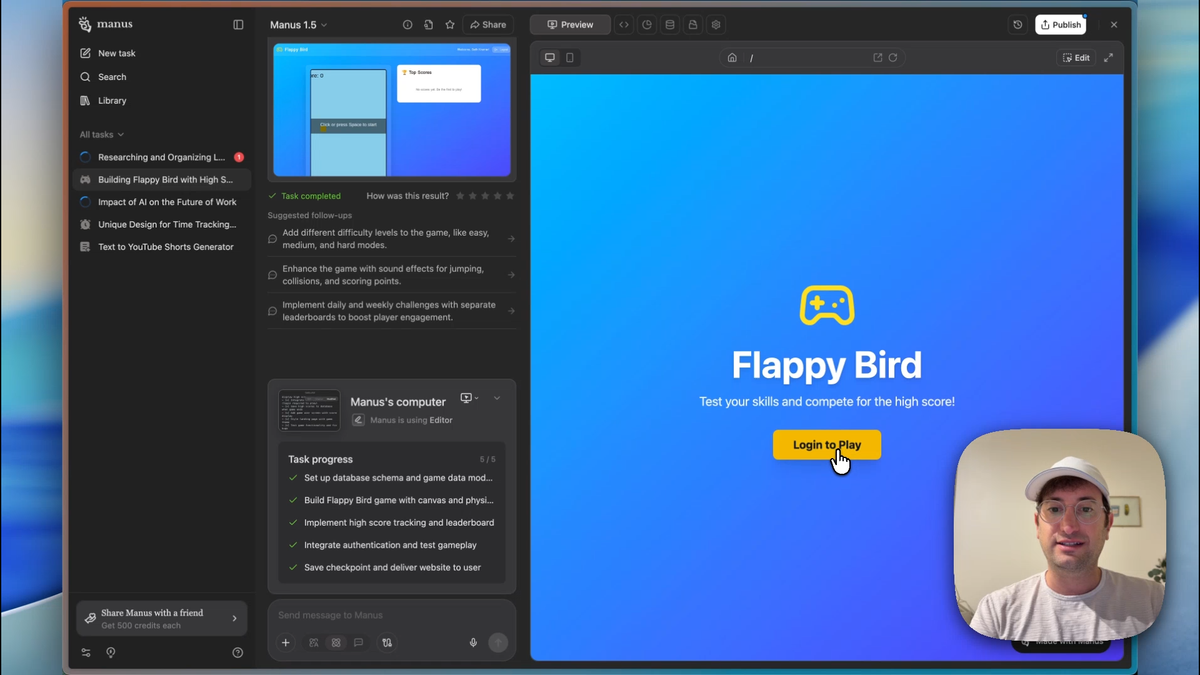
I tested this with a Flappy Bird game that required user login and high score tracking. Complex enough to test real capabilities without being overly complicated.
The prompt was straightforward: "Let's build a game of Flappy Bird with a database to save high scores and where users need to log in."
Manus broke the project into six distinct tasks:
- Game mechanics and physics
- User interface design
- Authentication system
- Database schema creation
- Score tracking integration
- Deployment and testing
The AI database integration worked seamlessly. No need to connect external services like Supabase. Everything ran on Manus's built-in backend infrastructure.
When finished, I had a fully functional game with working authentication, persistent high scores, and a live URL anyone could visit. The database showed clean tables for users and scores with proper relationships.
This level of full stack app development with AI puts Manus in a different category than simple website builders.
Multi-Agent AI Workflow Automation in Action
Here's where Manus gets scary good. While my Flappy Bird game was building, I launched a second agent for lead research. (For more on this, see our Manus AI automation deep-dive.)
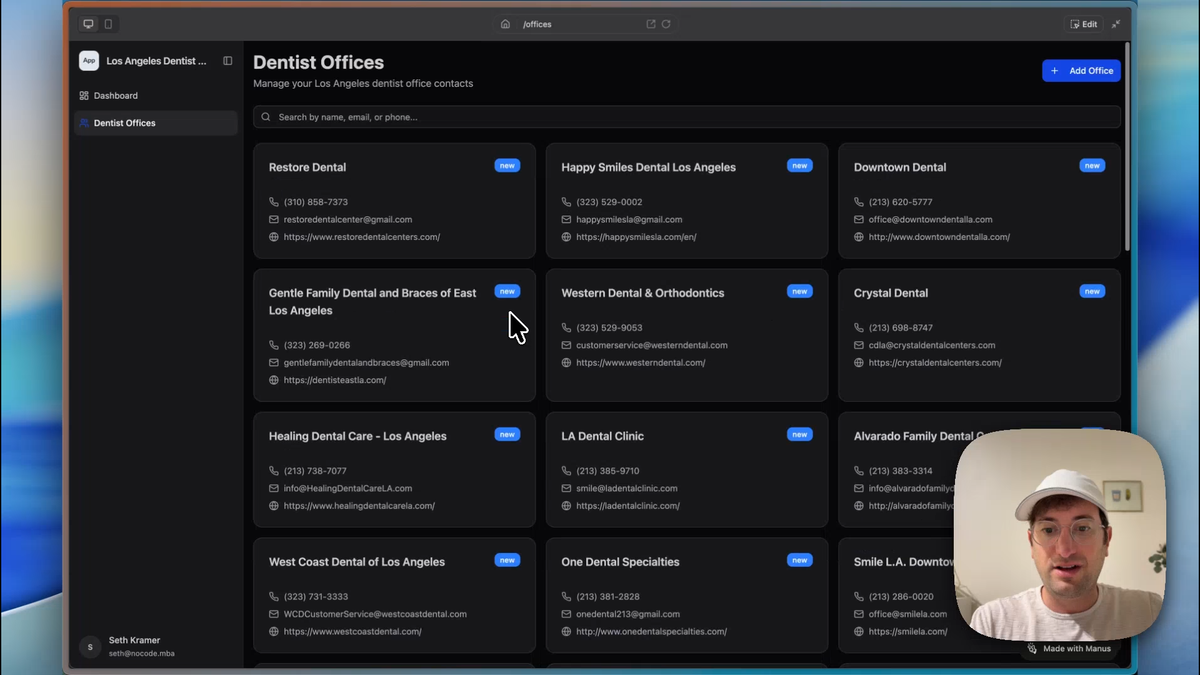
The task: "Research dentist offices in Los Angeles, California. Make a list of their name, phone number, and email address, and then create a CRM with that data that I can use to do outreach."
The agent opened a browser. Visited Yelp and other directories. Got blocked by captchas. Adapted and found alternative sources. All while I worked on other things.
The AI agent automation tools discovered 40+ dental offices with contact information. But here's the kicker - it didn't just dump data into a spreadsheet. It built a complete CRM application around that research.
This automated lead generation tools capability transforms how businesses approach prospecting. Instead of manual research plus separate CRM setup, one agent handles everything.
AI-Powered CRM Development from Research Data
The completed CRM was genuinely impressive. Clean dashboard with metrics. Individual office profiles. Activity logging. Notes system. All built automatically from the research data.
Think about the traditional workflow:
- Hire someone for manual research
- Export data to spreadsheet
- Import into paid CRM like HubSpot
- Configure fields and workflows
- Train team on new system
Manus compressed this into: "Do research and build me a CRM."
The AI-powered CRM development included features you'd expect from professional tools:
- Contact management with detailed profiles
- Activity tracking (emails, calls, meetings)
- Notes and follow-up scheduling
- Dashboard with key metrics
- Clean, intuitive interface
Could it replace HubSpot for complex sales teams? Probably not yet. But for small businesses or specific use cases, this approach makes traditional CRM setup look archaic.
AI Presentation Maker with Research: Beyond Basic Slide Creation
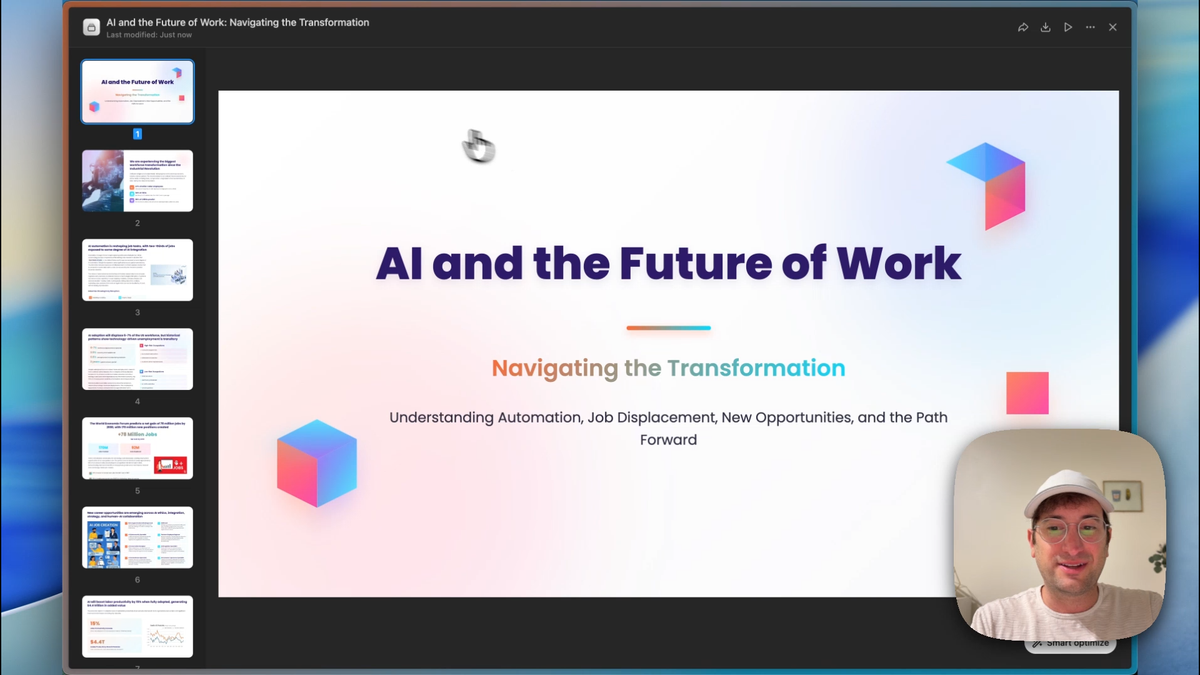
While the CRM was building, I launched a third agent for presentation creation: "Create a presentation on the impact of AI on the future of work, covering topics like automation, job displacement, new job creation, and the need for reskilling."
Most AI presentation maker tools create slides from your input. Manus went further - it conducted actual research first.
The agent opened browsers. Searched for current data. Found relevant statistics. Gathered images. All visible in real-time through the browser preview feature.
The finished presentation included:
- 12 slides with logical flow
- Current research and statistics
- Professional gradient design
- Relevant images and graphics
- Export options (PowerPoint, PDF, Google Slides)
The AI presentation maker with research capability sets this apart from tools like Gamma that work primarily from your provided content. Manus actively researches and fact-checks its presentations.
Manus vs Lovable vs Bolt: How Do They Compare?
After testing all these features, how does the Manus vs Lovable vs Bolt comparison shake out? (See also our best AI app builders 2026 roundup.)
Code Quality and Flexibility
All three generate clean, downloadable code. Manus edges ahead with its integrated backend capabilities. Lovable and Bolt typically require external services for database functionality.
Development Speed
Bolt wins for simple apps with its lightning-fast iteration. Lovable excels at design-focused projects. Manus shines for complex, multi-component applications.
No-Code AI App Builder Capabilities
Manus stands alone here. While others focus on frontend development, Manus handles full-stack applications including user management, databases, and deployment.
Multi-Tasking and Automation
This is Manus's secret weapon. Running multiple agents simultaneously for different tasks changes how you approach project management.
Learning Curve
Bolt is most beginner-friendly. Lovable requires more design thinking. Manus has the steepest learning curve but offers the most capabilities.
Pricing and Value
Complex automations consume more credits on Manus. Simple projects might be more cost-effective on Bolt or Lovable. The value equation depends on your specific needs.
Real-World Applications and Limitations
After extensive testing, Manus excels in specific scenarios:
Best Use Cases:
- Rapid prototyping with backend requirements
- Research-heavy projects requiring automation
- Small business tools that traditionally require multiple services
- Educational projects demonstrating full-stack concepts
Current Limitations:
- Credit consumption can be high for complex automations
- Generated applications may need refinement for production use
- Learning curve steeper than single-purpose tools
- Limited customization compared to hand-coded solutions
The platform works best when you need quick, functional prototypes or internal business tools. For production applications serving thousands of users, you'll likely need additional development work.
Getting Started with Manus: Practical Recommendations
If you're considering Manus, start small. Our Manus AI tutorial walks through building your first app step by step. Build a simple website first to understand the interface. Then experiment with database integration before attempting complex automations.
The multi-agent capability is powerful but can be overwhelming initially. Focus on single tasks until you're comfortable with the platform's capabilities.
Monitor your credit usage carefully, especially for research-intensive tasks. Complex automations can consume credits quickly.
Most importantly, think about Manus as a rapid prototyping tool rather than a complete replacement for traditional development. It excels at proving concepts and building functional MVPs quickly.
Watch this video on making a full-stack app with Manus:
Want to master more no-code tools like these? We cover the latest AI development platforms and traditional no-code builders in our comprehensive training programs. Sign up for No Code MBA to stay ahead of the curve with hands-on tutorials and real-world projects.
Can Manus really replace traditional development tools?
For rapid prototyping and simple applications, yes. For complex, production-grade software, it's better viewed as a powerful supplement to traditional development rather than a complete replacement.
How does Manus pricing compare to other AI development platforms?
Manus uses a credit-based system where complex tasks consume more credits. Simple website building is comparable to competitors, but advanced automations and research tasks can be more expensive due to computational requirements.
Is the code generated by Manus production-ready?
The code is clean and functional, but most generated applications will need additional refinement for production use. It's excellent for MVPs and prototypes that can be iteratively improved.
Can I export my Manus projects to other platforms?
Yes, you can download all generated code and deploy it elsewhere. However, backend functionality built using Manus's integrated services would need to be recreated on your chosen hosting platform.
What makes Manus better than Bolt or Lovable?
Manus's key advantage is its multi-agent automation and integrated backend capabilities. If you need simple frontend development, Bolt or Lovable might be more cost-effective. For complex, multi-component projects, Manus offers unique capabilities.
Frequently Asked Questions
What is Manus AI used for?
Manus AI is a multi-agent AI platform used for building websites, full-stack apps with databases, conducting automated research, and creating presentations—all simultaneously. It's known for its ability to run multiple AI agents at once on different tasks.
Is Manus AI free to use?
Manus AI uses a credit-based pricing system. Simple tasks consume fewer credits, while complex automations and research tasks use more. Check the Manus website for current pricing plans and free tier availability.
Can Manus AI run multiple tasks at the same time?
Yes, Manus's standout feature is its ability to run multiple AI agents simultaneously. You can build a web app, conduct research, and create a presentation all at the same time while working on other things.
How does Manus compare to Lovable and Bolt?
Manus offers unique multi-agent automation and integrated backend capabilities that Lovable and Bolt lack. Bolt is better for simple, fast frontend builds. Lovable excels at design-heavy projects. Manus wins for complex multi-component applications requiring automation.
Can Manus really replace traditional development tools?
For rapid prototyping and simple applications, Manus can replace many traditional tools. For complex, production-grade software, it's better as a powerful supplement to traditional development rather than a complete replacement.
Is the code generated by Manus production-ready?
The code is clean and functional, but most generated applications will need additional refinement for production use. Manus is excellent for MVPs and prototypes that can be iteratively improved.
Can I export my Manus projects?
Yes, you can download all generated code from Manus and deploy it elsewhere. However, backend functionality built using Manus's integrated services would need to be recreated on your chosen hosting platform.
What are the main limitations of Manus AI?
Main limitations include high credit consumption for complex automations, a steeper learning curve compared to Bolt or Lovable, and generated applications often needing refinement for production use. It's best suited for rapid prototyping and internal business tools.
Advertiser disclosure: some links on this website are affiliate links, meaning No Code MBA may make a commission if you click through and purchase.