⚡ QUICK VERDICT
V0 by Vercel is excellent for rapid prototyping and front-end UI generation. It's fast, generates clean React/Next.js code, and deploys to Vercel in one click. Best for developers who want polished UI components quickly. Less ideal for full-stack apps compared to Lovable or Bolt.
v0 AI app builder might be the best kept secret for rapidly turning ideas into functional prototypes.
In this review, we'll explore how to go from concept to working app in minutes and give our thoughts on how it compares to other AI app builders like Lovable and Bolt.
Let's dive into a step-by-step tutorial on building a family chore management app with AI-powered features.
Getting Started with v0: From Idea to Prototype
To begin your journey with v0 AI app builder, follow these simple steps:
- Visit v0.dev and create an account or log in
- Craft your initial app idea
- Use natural language to describe app features
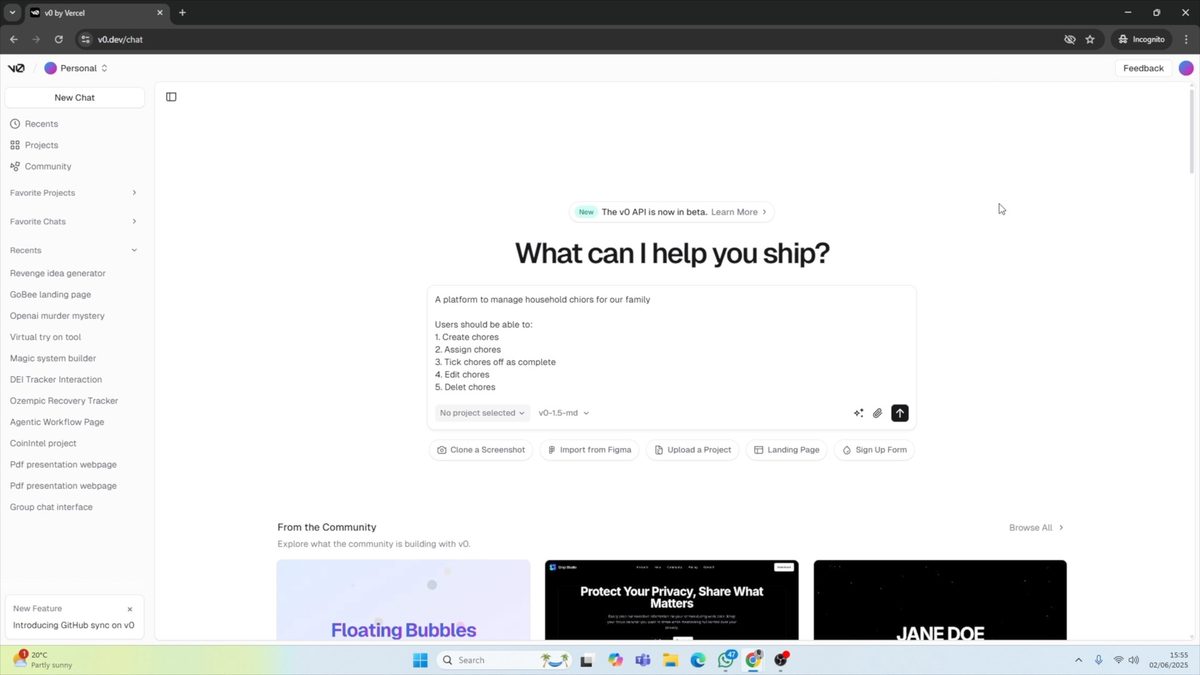
For our example, we'll create a platform to manage household chores for our family. We'll start by telling v0 that we want users to be able to create chores, assign them, mark them as complete, edit, and delete them.
Building a Family Chore Management App with v0 - Let's Test It
One of the best ways to review a platform such as v0 is to build something with it.
Follow along as we build this out, step-by-step.
Step 1: Generate the Initial Application
After entering our prompt, v0 quickly generates a simple family chore manager. The app allows us to add new chores, including details like the chore name, assigned family member, priority, and due date.
Step 2: Test Basic Functionality
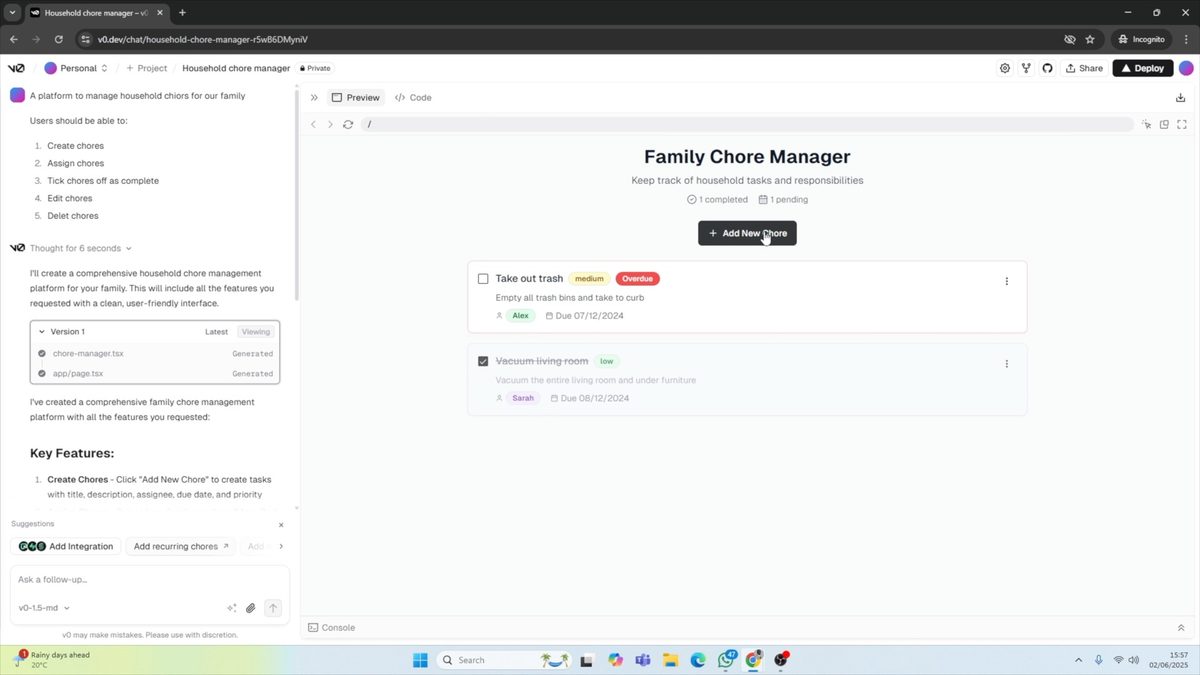
Let's test our newly created app by adding a chore:
- Click "Add New"
- Enter chore details (e.g., "Take trash out")
- Assign to a family member
- Set priority and due date
- Click "Add Chore"
We can now see our added chore, mark it as complete, or delete it if needed.
Step 3: Enhance the App with Additional Features
To improve our app, we'll add the ability to manage family members. We can do this by simply asking v0 to "add a feature to be able to manage the members." The AI will then create a new "Family Members" tab where we can add, remove, or edit members.
It's vital that you test out all of the features as there will be bugs.
However, v0 did a great job of getting us to a stage where, with a few tweaks, we can build out this app more and more.
Integrating OpenAI for Enhanced AI Capabilities
To make our app truly AI-powered, we'll calculate the fairness of chore distribution using artificial intelligence. Here's how to integrate OpenAI:
Step 1: Add Environment Variables
First, we need to add our OpenAI API key to the project's environment variables. This can be done in two ways:
- Through the chat interface by asking "How do I add the environment variables?"
- Via the project settings under "Environment Variables"
Step 2: Implement AI-Powered Fairness Calculation
Once the OpenAI key is added, we can implement the fairness calculation feature. We'll instruct v0 to calculate fairness based on the activity, whether it's overdue, its difficulty, and who it's assigned to.
Step 3: Refine AI Outputs
After testing the initial AI-powered feature, we may need to make adjustments to improve the output. In our case, we asked v0 to make the fairness report more concise and visually appealing.
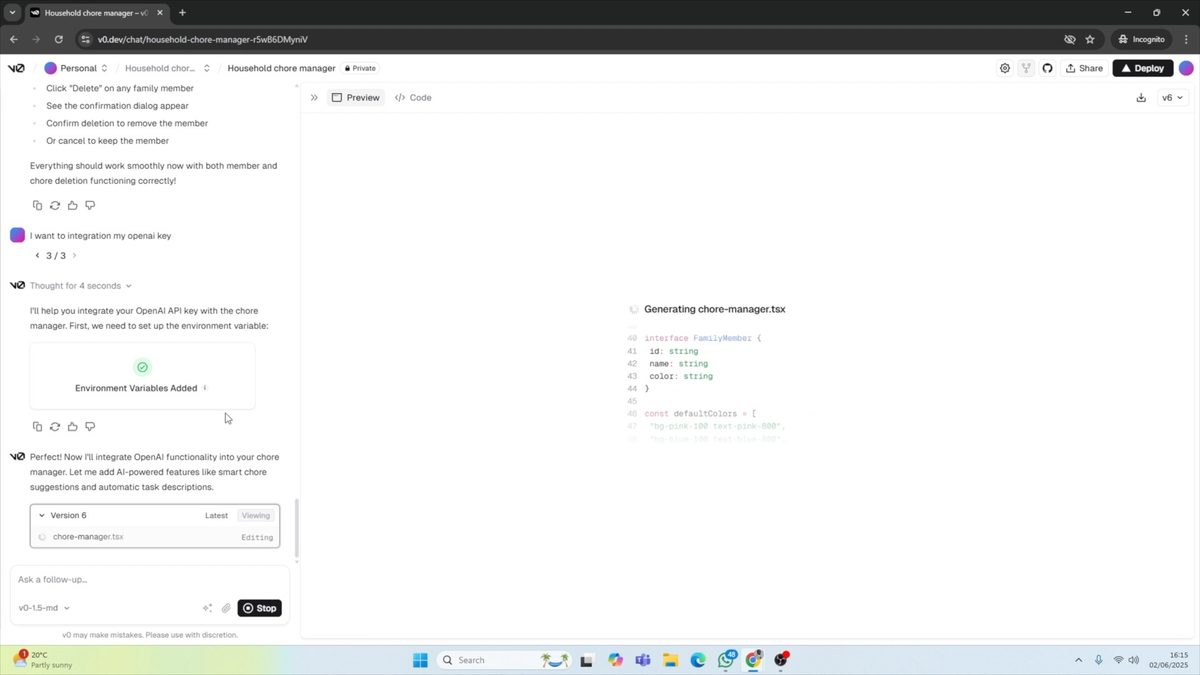
v0 does a great job of integrating AI into the app.
When we added the AI integration, it started adding AI features. However, we want specific AI instructions, so we stopped it and prompted for what we wanted.
It did a good job of integrating these features into our app.
Deploying Your AI-Powered App with v0
Once you're satisfied with your app, it's time to deploy. v0 offers several deployment options:
- Deploy to Vercel for internal testing
- Deploy to production
- Add a custom domain
For our example, we'll deploy to Vercel to test the application internally and with a beta group before considering self-hosting or adding our own domain.
Deployment was simple and very easy to set up.
V0 Pros and Cons
✅ Pros
- Extremely fast prototyping
- Beautiful, modern UI generation
- Clean React/Next.js code output
- One-click Vercel deployment
- Great free tier ($5 credits/month)
- Figma import on Premium
❌ Cons
- Less full-stack than Lovable/Bolt
- Credit-based pricing can run out fast
- Backend/database support is limited
- Generated code can be generic
- Requires dev knowledge for customization
- No built-in authentication system
V0 Pricing (April 2026)
Each plan includes monthly credits that offset usage costs. Once you use your included credits, Premium and Team users can purchase more. The credit-based system makes it easy to scale usage up or down.
V0 vs Lovable vs Bolt: Quick Comparison
Want to see detailed head-to-head comparisons? Check out Lovable vs V0 and Bolt vs Lovable.
Want to see how other AI app builders fare? Watch our video series here:
Related Guides
- Lovable vs V0: Complete Comparison — Head-to-head breakdown
- V0 vs Base44 — Another popular matchup
- Bolt vs Lovable 2026 — The biggest AI builder rivalry
- Bolt vs Lovable Pricing 2026 — Cost comparison
- Best AI App Builders 2026 — Full roundup of top tools
- Lovable Review 2026 — Our top-rated builder
- Base44 Review 2026 — Rising competitor
- Dyad Review — Free local AI coding tool
🔗 Explore More V0 & AI App Builder Guides
Ready to take your no-code skills to the next level? Sign up for No Code MBA's comprehensive courses and learn how to build powerful applications without writing a single line of code. Join No Code MBA today and unlock your potential in the world of no-code development!
Frequently Asked Questions
What is v0 by Vercel?
V0 is an AI-powered app builder by Vercel that generates React and Next.js code from natural language prompts. It's designed for rapid prototyping and creating polished UI components without extensive coding knowledge.
How much does v0 cost?
V0 offers three plans: Free ($0/month with $5 in credits), Premium ($20/month with $20 in credits and Figma import), and Team ($30/user/month with shared workspace). Credits are used when generating or deploying with V0's AI tools.
Is v0 better than Lovable or Bolt?
V0 excels at UI generation and produces the cleanest React/Next.js code. However, Lovable and Bolt are better for full-stack apps with databases and authentication. Choose V0 for front-end prototyping, Lovable or Bolt for complete applications.
Do I need coding experience to use v0?
No, v0 is designed for users with minimal coding experience. You describe features in plain English and v0 generates the code. However, some developer knowledge helps when customizing the output or debugging issues.
Can I integrate AI capabilities into my v0 app?
Yes, v0 supports AI integrations like OpenAI by adding your API key to environment variables. You can build AI-powered features like content generation, data analysis, and intelligent automation directly into your apps.
How does v0 compare to other AI app builders in 2026?
V0 produces the best-looking UI of any AI builder and has the simplest deployment via Vercel. It's more focused on front-end than competitors like Lovable (full-stack with Supabase) or Bolt (full-stack with multiple frameworks). See our complete comparison in the Best AI App Builders 2026 guide.
What deployment options does v0 offer?
V0 deploys directly to Vercel with one click. You can deploy for internal testing, push to production, or add a custom domain. The Vercel integration means your app gets automatic SSL, CDN, and serverless functions.
Can I use v0 for free?
Yes, v0's free plan includes $5 in monthly credits, access to the v0-1.5-md AI model, GitHub sync, and Vercel deployment. It's enough to explore the platform and build simple prototypes without any financial commitment.
Advertiser disclosure: some links on this website are affiliate links, meaning No Code MBA may make a commission if you click through and purchase.